
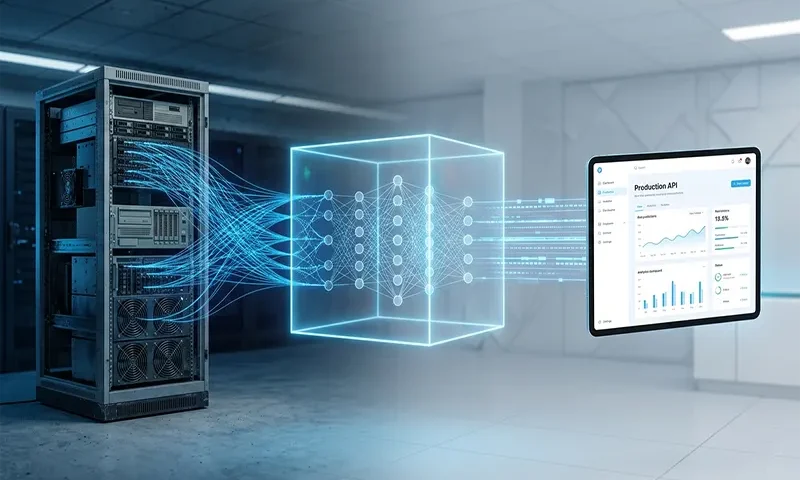
A widely cited industry statistic warns that roughly 90% of machine learning models never reach production. Data science teams frequently excel at training models inside Jupyter Notebooks, but failure occurs when attempting to transition that isolated code into a reliable, scalable software system.
Building an “end-to-end” machine learning project means breaking away from iterative, manual experimentation and building a structured, reproducible pipeline. True MLOps engineering treats the machine learning model not as a standalone artifact, but as one component of a larger software architecture.
Phase 1: Problem Definition and Data Engineering
Every successful machine learning project begins with clear scoping and a baseline metric. Before writing code, you must define what success looks like—whether that is minimizing Root Mean Squared Error ($RMSE$) for pricing predictions or maximizing the $F_1\text{-score}$ for a fraud detection system.
[ Raw Data Sources ] ──► [ Ingestion Script ] ──► [ Validation ] ──► [ Feature Store / Clean Data ]
The transition from experimentation to production starts during data engineering. While Jupyter Notebooks are valuable for initial exploratory data analysis (EDA), production code must be modularized into structured Python scripts (.py).
Structuring the Data Pipeline
A robust project directory separates concerns cleanly:
- src/ingestion.py: Handles connections to databases, cloud storage, or APIs.
- src/preprocessing.py: Handles missing value imputation, categorical encoding, and feature scaling.
Crucially, preprocessing parameters (such as mean and variance from a StandardScaler) must be computed on the training split only and saved as artifacts. This prevents data leakage and ensures that incoming inference data is processed identically to the training data.
Phase 2: Model Training, Tracking, and Evaluation
With clean data pipelines established, the next phase involves selecting candidate algorithms and establishing an experimental framework. Rather than manually tracking performance across different hyperparameters in a spreadsheet, you should integrate an experiment tracking tool like MLflow or Weights & Biases.
Experiment tracking instruments your training scripts to automatically log parameters, hardware utilization, and evaluation metrics:
Python
import mlflow
with mlflow.start_run():
model = RandomForestClassifier(n_estimators=100, max_depth=5)
model.fit(X_train, y_train)
# Log metadata and evaluation metrics
mlflow.log_param(“n_estimators”, 100)
mlflow.log_metric(“f1_score”, f1)
mlflow.穩定_model(model, “model”)
Production-Focused Evaluation
Evaluating a production-ready model extends beyond offline validation metrics. A model with 99% accuracy is useless if its inference latency is 2,000 milliseconds in a real-time system. During evaluation, engineers must profile:
- Compute Latency: The time it takes to return a prediction.
- Memory Footprint: The RAM required to hold the model in memory.
- Data Fairness: Checking for prediction bias across protected data segments.
Phase 3: Operationalizing and Packaging the Model
Once an optimal model is selected and logged, it must be prepared for consumption by downstream applications. This requires serialization, creating an inference interface, and containerization.
Serialization
First, serialize the model object using libraries like joblib or save it in an interoperable format like ONNX (Open Neural Network Exchange). This saves the learned weights and architecture into a file format that can be loaded instantly by a server.
Building the API Layer
To make the model accessible via web protocols, wrap it in a lightweight REST API using FastAPI. FastAPI is preferred over Flask for machine learning deployment because it natively supports asynchronous requests, executes faster, and automatically enforces data validation using Pydantic.
Python
from fastapi import FastAPI
from pydantic import BaseModel
import joblib
app = FastAPI()
model = joblib.load(“models/v1_production_model.pkl”)
class InferenceInput(BaseModel):
feature_a: float
feature_b: float
@app.post(“/predict”)
def predict(data: InferenceInput):
prediction = model.predict([[data.feature_a, data.feature_b]])
return {“prediction”: int(prediction[0])}
Containerization with Docker
To guarantee that the API runs identically on your local machine, a staging server, and a cloud cluster, you must package the application code, dependencies, and environment configurations into a Docker container.
Below is a standard production configuration file (Dockerfile) for an ML application:
Dockerfile
FROM python:3.10-slim
WORKDIR /app
COPY requirements.txt .
RUN pip install –no-cache-dir -r requirements.txt
COPY ./src ./src
COPY ./models ./models
EXPOSE 8000
CMD [“uvicorn”, “src.main:app”, “–host”, “0.0.0.0”, “–port”, “8000”]
Phase 4: Deployment, CI/CD, and Monitoring
With the application containerized, the project enters the final stage of the lifecycle: cloud deployment and continuous integration.
[ Push Code ] ──► [ GitHub Actions (Tests) ] ──► [ Build Docker Image ] ──► [ Deploy to Cloud ]
Choosing a Deployment Strategy
The deployment architecture depends heavily on your budget and infrastructure requirements:
- Serverless / PaaS (Platform as a Service): Services like Render, Railway, or Hugging Face Spaces are ideal for lightweight projects and internal tooling. They require minimal configuration.
- IaaS / Container Services: For production scale, deploy the Docker image to services like AWS ECS (Elastic Container Service), Google Cloud Run, or a managed Kubernetes cluster.
CI/CD Pipelines
Manual deployments introduce human error. Implementing a Continuous Integration/Continuous Deployment (CI/CD) workflow using GitHub Actions automates code quality checks, runs unit tests on your preprocessing functions, builds the Docker image, and pushes it to your cloud provider whenever new code is merged into the master branch.
| Pipeline Phase | Primary Objective | Key Tools |
| Continuous Integration | Linting, code quality checks, and unit testing | PyTest, Flake8, GitHub Actions |
| Continuous Deployment | Automatically pushing validated container images to production | Docker, AWS ECR, Terraform |
Post-Deployment Monitoring
A deployed model begins to degrade the moment it interacts with live real-world data. This divergence is known as data drift (where the statistical properties of input data change over time) or concept drift (where the relationship between the target variable and features shifts). Production systems should implement logging layers to capture incoming user payloads and predictions, routing them to monitoring suites like Evidently AI or Prometheus to trigger alerts when model performance falls below an acceptable baseline.
Moving Forward
Building an end-to-end machine learning project requires shifting your perspective from model-centric development to system-centric engineering. Training an accurate model is only the first step; the true value comes from wrapping that model in stable data pipelines, exposing it via a robust API, containerizing the environment, and setting up automated deployment infrastructure. Mastering this comprehensive workflow is what separates a predictive experimentalist from an effective Machine Learning Engineer.

